
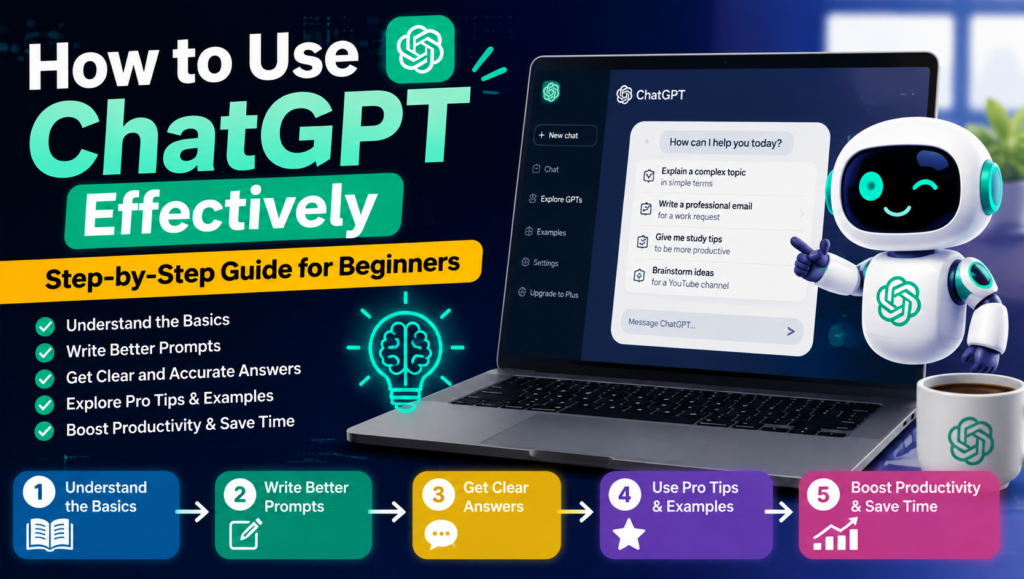
ChatGPT is an AI chatbot developed by OpenAI that uses artificial intelligence, natural language processing, and generative AI to understand prompts and provide useful responses. This AI assistant can help with writing, research, brainstorming, learning, summarizing, coding, and everyday tasks.
As a large language model, ChatGPT uses conversational AI and advanced chatbot technology to create natural responses through a simple conversational interface. Its AI-powered assistant, text-based AI, and multimodal AI capabilities make it useful for students, writers, professionals, and beginners who want to get more done with an intelligent chatbot.
Table of Contents
Getting Started With ChatGPT
If you are learning how to use ChatGPT, getting started is easier than it may seem. For ChatGPT for beginners, visit the ChatGPT website or download the ChatGPT mobile app or ChatGPT desktop app. From the ChatGPT home page, select ChatGPT sign up to create a ChatGPT account using an available sign-in option. You can start with a ChatGPT free account, although some features and usage limits may vary by plan.
After completing your ChatGPT account setup, use ChatGPT login to access your account. Once inside, you will see the ChatGPT interface, including the ChatGPT message box where you can type your questions or instructions. To follow this simple ChatGPT tutorial, click the option to start a new chat, enter a clear prompt, and send it. ChatGPT will generate a response that you can continue refining with follow-up questions.
How to Write Effective ChatGPT Prompts
Writing good ChatGPT prompts is one of the easiest ways to get better results. Start with clear prompts that explain exactly what you want, then add context, background information, specific instructions, and the desired output. This approach, often called prompt engineering, helps ChatGPT understand your goal instead of making assumptions. For example, include the target audience, tone of voice, response format, and word count when they matter.
A useful prompt structure can include your task, context, constraints, and expected result. Role prompting can also improve responses by asking ChatGPT to act as a teacher, SEO writer, developer, or another relevant expert. Use detailed prompts, natural language prompts, and prompt examples when necessary, and provide examples of the result you want. You can also give step-by-step instructions and clear constraints, then use follow-up prompts to refine the answer until it matches your needs.

Asking Questions and Starting Conversations
To ask ChatGPT a question, simply enter a prompt or type a message into the chat box and send it. You can use simple questions or detailed conversational queries depending on what you need. ChatGPT uses your conversational context and previous messages to provide relevant, contextual responses. For example, you can ask it to explain a difficult topic, brainstorm ideas, summarize text, or help solve a problem.
You can use follow-up questions to continue a conversation instead of starting from scratch. If the first response is unclear, ask for clarification, refine a question, or provide additional details. ChatGPT can maintain an interactive conversation within a new conversation, while your chat history can help you return to earlier chats when available. This makes an AI conversation feel more natural and allows you to gradually improve the answers you receive.
Visit this: How to Get Better Answers From ChatGPT: A Complete Prompt Guide
Improving ChatGPT Responses About How to Use ChatGPT
To improve ChatGPT answers, you do not always need to start over. If the first response is not quite right, you can refine responses by using follow-up prompts, edit prompt, or regenerate response. Try asking ChatGPT to rewrite response, simplify an answer, make it shorter, or expand an answer based on your needs. You can also add examples, change the tone, or change the format to make the result more useful.
For better AI results, provide more details when your request is unclear. Provide more context, clarify instructions, and tell ChatGPT exactly what you expect. If the response contains errors, ask it to correct mistakes rather than accepting the information immediately. This process, known as iterative prompting, allows you to improve accuracy through response customization and work toward more accurate responses that match your specific goal.
How to Use ChatGPT Features and Capabilities
ChatGPT offers a wide range of ChatGPT features that can support writing, research, communication, and everyday AI productivity. Some capabilities depend on the account, plan, model, device, and current availability.
| How to Use ChatGPT Features / Capability | What You Can Do |
|---|---|
| Text generation | Generate answers, ideas, explanations, and other text from prompts. |
| Content creation | Create articles, social posts, outlines, and marketing content. |
| Brainstorming | Generate ideas, names, topics, and creative approaches. |
| Summarization | Turn lengthy text or documents into concise summaries. |
| Translation | Translate text between supported languages and help explain meaning. |
| Rewriting & proofreading | Improve wording, grammar, clarity, and readability. |
| Email writing & blog writing | Draft professional emails, blog posts, introductions, and other copy. |
| Research assistance | Help organize information, compare ideas, and support research tasks. |
| Data analysis | Analyze uploaded datasets and help identify patterns or insights. |
| Image analysis | Understand and discuss information contained in supported images. |
| Image generation | Create images from descriptive prompts when image generation is available. |
| File uploads | Upload supported files for analysis and information extraction. |
| Document analysis | Review and summarize supported documents and files. |
| Chart creation | Help analyze data and create visual charts when supported. |
| Voice conversations / Voice mode | Have spoken, interactive conversations with ChatGPT on supported devices. |
| Web search | Search the web for current information when web access is available. |
| Deep research | Conduct more comprehensive research across multiple sources when the feature is available. |
| Multimodal inputs | Work with multiple input types, including text input, image input, and supported audio input. |
How to Use ChatGPT for Work and Productivity
- ChatGPT productivity: Use ChatGPT to organize information, generate ideas, draft content, and speed up routine work.
- AI productivity tool: Treat ChatGPT as an AI productivity tool for handling repetitive tasks and supporting daily workflows.
- Workplace assistant: Use it as a workplace assistant for planning projects, preparing information, and solving common work problems.
- Writing assistant: Get help with professional writing, reports, proposals, presentations, and other business documents.
- Research assistant: Use ChatGPT as a research assistant to summarize sources, compare information, and organize findings.
- Brainstorming ideas: Generate brainstorming ideas for campaigns, projects, content, products, and business strategies.
- Task planning: Break large projects into smaller steps, deadlines, and actionable tasks.
- Content creation: Create outlines, articles, social media posts, marketing copy, and other workplace content.
- Email assistance: Draft, rewrite, summarize, and improve professional emails.
- Meeting assistance: Prepare meeting agendas, discussion points, summaries, and follow-up action items.
- Document analysis: Analyze supported documents to extract key information, summarize sections, and identify important details.
- Spreadsheet analysis: Work with supported spreadsheets to examine data, identify patterns, and organize information.
- Data interpretation: Turn complex data into easier-to-understand insights, summaries, and explanations.
- Workflow automation: Combine ChatGPT with other tools to streamline repetitive processes and workflow automation.
- Task management: Create task lists, priorities, checklists, and project plans to improve organization.
- Productivity workflows: Build repeatable productivity workflows for research, writing, planning, and communication.
- Everyday tasks: Use ChatGPT for routine everyday tasks, such as drafting messages, planning schedules, creating lists, and organizing information.
- Work assistant: Make ChatGPT a flexible work assistant that supports different tasks without replacing human judgment.

How to Use ChatGPT for Students and Learning
ChatGPT for students can work as a flexible study assistant for understanding lessons, completing homework help tasks, and reviewing difficult subjects. With learning with ChatGPT, students can ask it to explain complex topics in simple language, summarize notes, organize study notes, and provide educational assistance for different subjects. It can also offer research help, support essay brainstorming, and make language learning more interactive.
For exam preparation, students can ask ChatGPT to create practice questions, quizzes, revision plans, and flashcards based on a particular subject. It can also act as a basic tutoring partner by providing step-by-step explanations and explaining the same concept in different ways. By sharing their learning goals, current level, and areas of difficulty, students can create a more personalized learning experience while still checking important information with reliable academic sources.
Visit this also: ChatGPT Prompts for Article Writing: 50+ AI Writing Prompts to Create Better Content
How to Use ChatGPT for Writing and Content Creation
ChatGPT can work as an AI writing assistant for everything from content writing and blog posts to article writing and email writing. You can ask it to generate content ideas, create a content outline, develop a first draft, or help with paragraph generation. It can also support social media content, creative writing, copywriting, and professional communication by adapting the writing to your purpose and audience.
For better results, provide clear writing prompts and explain the tone, audience, length, and format you want. After generating a draft, use ChatGPT for proofreading, editing, rewriting, and grammar correction. You can ask it to improve awkward sentences, simplify complex wording, or make your writing more engaging. This makes ChatGPT useful for writing improvement while allowing you to review and personalize the final content.
How to Use ChatGPT Effectively for Voice, Images, and Files
ChatGPT supports multimodal interaction, allowing you to work with more than text input. With ChatGPT voice mode, you can have a voice conversation and talk to ChatGPT using audio input and microphone input. When available, speech-to-text can convert spoken words into text, making it easier to ask questions without typing.
You can also upload images and use image prompts to ask questions about pictures, screenshots, or other visual information. ChatGPT can provide image analysis and answer visual questions based on supported images. For documents, you can upload files as file attachments and use features such as PDF analysis, document analysis, and spreadsheet analysis. These capabilities make it easier to combine audio input, image input, and text input in one workflow.
How to Use ChatGPT Effectively for Search and Research
ChatGPT search makes online research easier when you need current information, answers to research questions, or useful online sources. You can use web search for information retrieval, research assistance, and comprehensive research by asking clear questions and refining your prompts. For a reliable research workflow, review the information provided, compare different sources, and perform source checking instead of relying on a single response.
For better accuracy, use cited sources and conduct source verification to confirm important claims. Deep research can help explore complex topics in greater detail, while fact checking helps identify outdated, incomplete, or incorrect information. A careful source review is especially important for academic, professional, or fact-sensitive research where trustworthy information matters.

Customization of How to Use ChatGPT Effectively
| Customization Feature | How It Helps |
|---|---|
| Customize ChatGPT | Adjust ChatGPT’s behavior and responses to match your needs. |
| Personalize ChatGPT | Make the AI assistant more relevant to your regular tasks and preferences. |
| Custom instructions | Tell ChatGPT how you want it to respond, write, or structure information. |
| Response preferences | Set consistent expectations for how answers should be delivered. |
| Preferred tone | Choose a friendly, professional, concise, casual, or other tone for responses. |
| Writing style | Define whether you prefer simple, detailed, conversational, technical, or creative writing. |
| Response format | Request answers as paragraphs, bullet points, tables, steps, or other formats. |
| Personalization | Tailor conversations according to your needs and regular use cases. |
| AI assistant customization | Configure ChatGPT to work more effectively as a writing, study, research, or productivity assistant. |
| Conversation preferences | Set guidelines that help maintain consistency across conversations. |
| Customized responses | Receive answers shaped around your instructions, tone, style, and preferred format. |
| User preferences | Provide details about how you want ChatGPT to communicate and organize information. |
How to Use ChatGPT Effectively Response Management
Managing ChatGPT responses helps you keep useful information organized and refine answers when the first result is not quite right. You can copy ChatGPT response, share conversation, save conversation, or export information for later use. If an answer needs improvement, you can regenerate answer, edit message, or modify response by providing clearer instructions and additional context.
ChatGPT also allows response feedback through options such as thumbs up and thumbs down, which can help indicate whether a response was useful. Before using important information, review sources and verify key claims. If you want to explore a different direction, you can branch new chat, while continue conversation lets you build on the existing context without starting over.
Visit this also: Best ChatGPT Prompts for Social Media Marketing & Content Creation
How to Use ChatGPT Effectively Advanced Usage
Advanced ChatGPT usage becomes more powerful with advanced prompting and prompt engineering techniques. Use structured prompts, role-based prompting, and multi-step prompts to break down complex tasks into manageable stages. Iterative prompting allows you to improve results through follow-up instructions, while context-rich prompts provide the background information ChatGPT needs to produce more relevant answers. You can also set output constraints for word count, format, tone, or specific requirements.
For repeated work, create reusable prompt templates and use prompt optimization to improve their effectiveness. ChatGPT can also support an AI workflow by handling automated tasks, productivity automation, and AI-powered workflows. With proper task delegation, you can give ChatGPT specific responsibilities within a workflow, helping reduce repetitive work and manage more complex tasks efficiently.
Frequently Asked Questions About How to Use ChatGPT
How to use ChatGPT effectively for the first time?
Visit ChatGPT, create or sign in to your account, type your question or prompt into the message box, and send it. ChatGPT will generate a response that you can refine with follow-up prompts.
How can I get better answers from ChatGPT?
Use clear and specific prompts that include context, desired output, tone, format, and relevant details. You can also ask ChatGPT to rewrite, expand, simplify, or improve its previous response.
Can I use ChatGPT for research and current information?
Yes. ChatGPT can assist with online research, information retrieval, source review, and fact checking. When researching important topics, review cited sources and verify key information independently.
What can I use ChatGPT for?
You can use ChatGPT for writing, brainstorming, studying, research, summarization, translation, coding, content creation, planning, document analysis, and many everyday productivity tasks.
How do I use advanced ChatGPT features?
Depending on your available ChatGPT features, you can use voice conversations, image analysis, file uploads, web search, deep research, custom instructions, and advanced prompting techniques to handle more complex tasks.

