
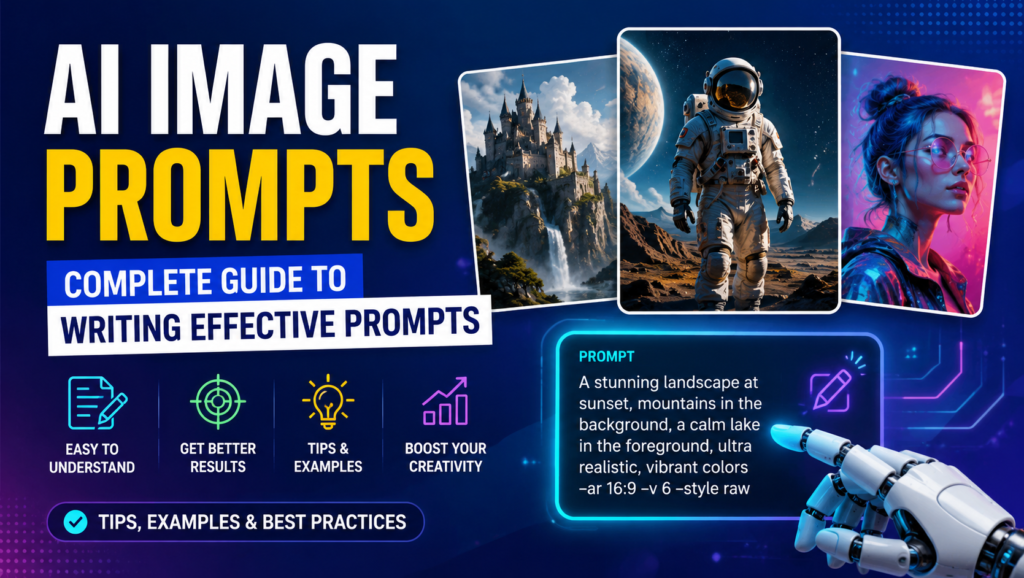
AI image prompts are simple instructions that help an AI image generator turn ideas into visuals. Using AI prompts, image prompts, and natural language prompts, modern text-to-image AI tools can create AI-generated images, AI visuals, and AI art from written descriptions. Whether you need realistic photos, illustrations, marketing graphics, or creative designs, image generation prompts provide the creative direction and visual instructions needed for AI image generation.
The quality of the result depends heavily on prompt engineering, including prompt writing, prompt design, prompt creation, and prompt optimization. Using clear prompts, specific prompts, detailed prompts, and descriptive prompts gives the AI better guidance, while creative prompts and visual prompts can produce more original results. By learning to create effective prompts for prompt-based image generation, anyone can explore generative AI and create impressive artificial intelligence art with greater control.
Table of Contents
AI Image Prompts Elements & Structure
A strong AI image prompts usually starts with the main subject and a clear subject description, followed by the action, pose, facial expression, clothing, and overall appearance of the characters or objects. Add a scene description, setting, environment, location, and background to provide context, then include important visual details, key details, and atmosphere such as lighting, mood, weather, or color. You can also describe the foreground and specific objects to make the generated image more complete and realistic.
The second part of a prompt focuses on composition and how elements should appear within the image. Specify the perspective, camera angle, framing, image layout, spatial arrangement, depth, scale, and focal point to guide the AI’s visual hierarchy. Depending on the desired result, you can request a centered composition, close-up, wide shot, overhead view, or panoramic view, while explaining the foreground placement and background placement. Combining these elements creates a structured prompt that gives an AI image generator clearer visual instructions and greater control over the final image.
Visit this: How to Get Better Answers From ChatGPT: A Complete Prompt Guide
Style & Artistic Direction
Choosing the right visual style and art style helps an AI image generator understand the creative direction you want. You can specify an artistic style, photography style, or illustration style depending on the purpose of the image. For realistic results, terms such as photorealistic, realistic image, cinematic photography, editorial photography, commercial photography, and documentary photography can guide the model toward a particular appearance. For creative projects, you can request digital art, cinematic style, concept art, fantasy art, sci-fi art, or hand-drawn illustration.
You can also experiment with distinctive aesthetics such as minimalist style, vintage style, retro aesthetic, anime style, manga style, watercolor, painting, or vector art. Adding realistic textures, a specific artistic technique, and a creative aesthetic can make the output more visually consistent. For brands and content creators, clearly defining the desired style is especially useful for developing a recognizable visual identity across AI-generated images.

Composition & Visual Quality
Strong image composition helps an AI image generator arrange elements in a clear and visually appealing way. Depending on the desired result, you can request a balanced composition, clean composition, cinematic composition, or symmetrical composition while using visual balance, negative space, focal point, framing, and perspective to control how the scene looks. Describing the foreground, middle ground, and background can also create better depth and produce a more immersive composition with a coherent scene.
For better image quality, include terms such as detailed textures, sharp details, high detail, ultra-detailed, and realistic materials when they genuinely match your goal. Phrases like crisp image, polished visuals, professional-looking image, and visually appealing image can further communicate the desired finish. Maintaining visual consistency and a consistent style across prompts is especially important when creating multiple images for the same project or brand.
AI Image Prompts Categories
Different types of AI image prompts can be used for different creative and professional needs:
- Portrait prompts: Create detailed portraits, headshot prompts, character studies, and professional profile images.
- Landscape and nature prompts: Landscape prompts and nature prompts can generate scenic environments, outdoor locations, mountains, forests, beaches, and natural settings.
- Product and branding prompts: Product prompts, product mockup prompts, logo prompts, and branding prompts are useful for product concepts, packaging, brand identity, and promotional designs.
- Art and character prompts: Anime prompts, manga prompts, fantasy prompts, and concept art prompts are ideal for fictional characters, imaginative worlds, and creative artwork.
- Architecture and interiors: Architecture prompts and interior design prompts can visualize buildings, rooms, furniture arrangements, and architectural concepts.
- Photography and lifestyle prompts: Food photography prompts and lifestyle prompts can create restaurant visuals, recipes, everyday scenes, fashion moments, and editorial-style imagery.
- Themed visual prompts: Cyberpunk prompts, sci-fi prompts, vintage prompts, and retro prompts help produce distinctive futuristic or nostalgic aesthetics.
- Fashion and marketing prompts: Fashion prompts, marketing image prompts, social media image prompts, presentation visuals, and advertising visuals can support campaigns, content creation, and promotional materials.
- Business and creative projects: E-commerce images can showcase products online, while creative project visuals can help bring concepts, presentations, campaigns, and personal projects to life.
Visit this also: 30+ Best AI Tools for Marketing in 2026 to Grow Your Business
Portrait & Character AI Image Prompts Terms
When creating a portrait, headshot, or full-body character, describe the person or character with specific visual details. Include facial features, facial expression, natural pose, clothing, hairstyle, skin texture, eyes, and accessories to control the overall character appearance. For fictional subjects, terms such as character design, character illustration, anime character, fantasy character, warrior, mage, and futuristic character can help define the personality and visual identity.
You can also specify the desired presentation, such as cultural clothing, fashion editorial, professional headshot, cinematic portrait, studio portrait, or environmental portrait. These terms give the AI image generator additional direction about styling, setting, lighting, and mood, making the resulting character or portrait more consistent with your creative idea.

Landscape & Nature Prompt Terms
For compelling landscape images, describe the natural setting with specific elements such as mountains, a mountain valley, forest, jungle, waterfall, desert, ocean, beach, lake, river, or countryside. You can create a tropical landscape, autumn forest, or snow-covered landscape by combining environmental details with trees, rocks, and wildflowers. Adding a natural environment and a specific scenic view helps the AI image generator understand the overall location and composition.
Lighting and weather can dramatically change the mood of a landscape prompt. Include details such as sunrise, sunset, mist, fog, clouds, stars, or northern lights to create different atmospheric effects. Terms like atmospheric haze, immersive landscape, and peaceful scenery can further guide the visual mood, depth, and realism, helping produce a more engaging and natural-looking AI-generated scene.
AI Image Prompts Generator Use Cases
| Use Case | How AI Image Generators Are Used |
|---|---|
| Blog Images | Create engaging blog images, illustrations, and supporting visuals that make articles easier to understand. |
| Website Graphics | Produce website graphics such as banners, hero images, feature visuals, and other branded elements. |
| Social Media Content | Design social media posts and social media visuals for platforms such as Instagram, Facebook, LinkedIn, and X. |
| Marketing & Advertising | Create marketing materials, advertisements, and promotional graphics for different digital marketing campaigns. |
| Product Campaigns | Generate product-focused visuals for product campaigns, launches, promotions, and e-commerce content. |
| Presentations & Posters | Create custom presentations, posters, diagrams, and supporting visuals for professional or educational use. |
| Thumbnails | Design attention-grabbing thumbnails for blogs, videos, social platforms, and other digital content. |
| Brand Identity | Develop visual concepts that support brand identity, including creative styles, campaign imagery, and branded graphics. |
| Editorial Content | Produce editorial content visuals, feature illustrations, and supporting imagery for publications and online media. |
| Creative Projects | Explore ideas and concepts for creative projects, including artwork, concepts, experiments, and visual storytelling. |
| Business Graphics | Create business graphics for reports, presentations, announcements, internal communications, and promotional campaigns. |
| Content Creation | Support content creation by generating original visuals quickly for blogs, websites, social media, advertising, and other digital channels. |

Food & Lifestyle Prompt Terms
For food photography, detailed descriptions can help an AI image generator create appetizing and realistic scenes. You can specify gourmet food, plated food, a breakfast scene, pasta scene, or a relaxed café lifestyle setting. Elements such as a farmers market, food styling, fresh ingredients, natural textures, ceramic plates, wooden table, herbs, fruits, vegetables, and a coffee cup add visual context and realism to the prompt.
For lifestyle imagery, describe the mood and environment, such as a restaurant atmosphere, cozy lifestyle, or warm morning sunlight. An overhead composition works well for dishes and table arrangements, while editorial food photography can create a polished, magazine-style appearance. Adding realistic food textures helps the AI capture details such as crispy surfaces, creamy sauces, fresh produce, and natural ingredient textures, resulting in more convincing food and lifestyle visuals.
Visit this also: Google AI Tools for Making Presentations with Gemini in Slides
Vintage & Retro Prompt Terms
To create nostalgic visuals, vintage photography and a retro aesthetic can give AI-generated images an authentic old-fashioned appearance. You can specify a 1970s style, 1980s style, or 1990s aesthetic, along with subjects such as a vintage car, retro fashion, an arcade, a nostalgic bedroom, or a classic travel poster. For a more authentic photographic feel, include details such as old film, a 35mm camera, analog film, film grain, light leaks, faded colors, muted tones, and printed-paper texture.
Other elements, such as a disposable camera, can create an informal snapshot effect and strengthen the nostalgic atmosphere. Specifying a classic composition can also help arrange the subject in a style associated with older photographs, advertisements, or printed artwork. Combining these terms allows you to control both the visual character and historical mood of a vintage or retro AI image prompts.
Frequently Asked Questions About AI Image Prompts
What are AI image prompts?
AI image prompts are written instructions that tell an AI image generator what kind of image to create. A good prompt can describe the subject, setting, style, lighting, composition, mood, and other visual details.
How do I write a good AI image prompt?
Start with the main subject, then describe the setting, action, appearance, visual style, lighting, camera angle, and composition. Using clear, specific, and descriptive language usually helps generate more accurate results.
What makes an AI image prompt effective?
An effective AI image prompt is specific, well-structured, and easy for the image generator to interpret. Including important details such as style, perspective, colors, atmosphere, and image quality can give you greater control over the final image.
Can AI image prompts create realistic images?
Yes. AI image prompts can generate highly realistic images when you provide details about photography style, lighting, camera perspective, textures, materials, and the environment. Terms such as photorealistic and realistic textures can help guide the visual result.
What can I create with AI image prompts?
You can use AI image prompts to create portraits, landscapes, product images, illustrations, marketing graphics, social media visuals, thumbnails, concept art, food photography, and many other types of digital content.


Great collection of AI prompts. I’ve also been exploring YuE2 for turning lyrics and creative ideas into complete AI-generated songs with vocals. Nice to see how prompt-based creation is evolving across different media.
Clear prompts really do make a difference, especially when planning visuals for a home project. I’d also try an estimator that explains the practical details, such as the 80 pound bag of concrete volume, before turning a design idea into a materials list. 80 pound bag of concrete volume