
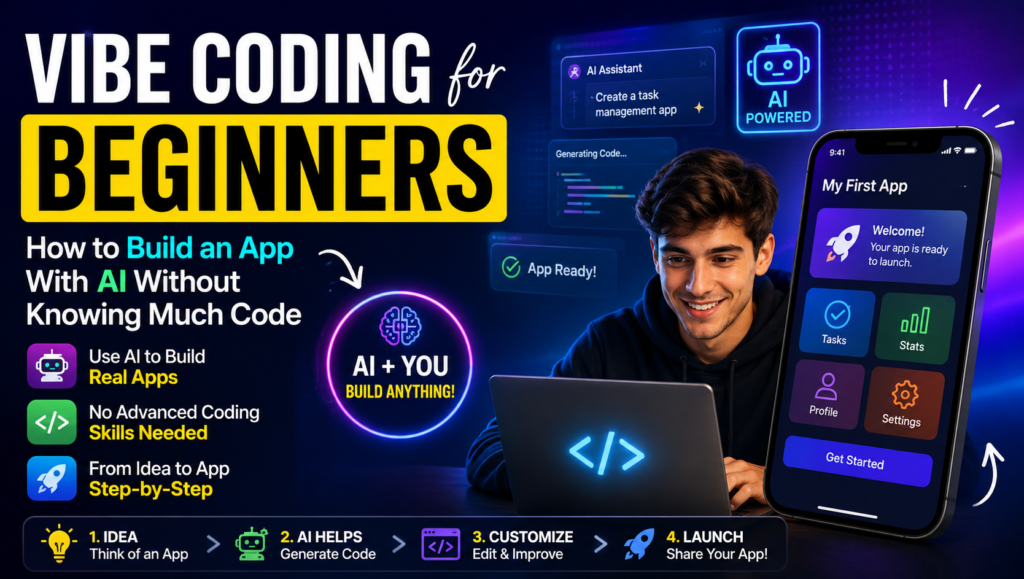
Vibe coding for beginners makes it easier to start building software without mastering every programming language first. With vibe coding, you can describe an idea in simple language and use AI-assisted coding, AI coding, and AI-powered programming to turn your instructions into AI-generated code. This form of natural language coding, also known as prompt-driven development or conversational programming, can be especially helpful for people with no-code experience who want to explore coding with AI and programming with AI.
As AI software development continues to grow, code generation, automated coding, and low-code development are becoming useful parts of the AI development workflow. An AI programming assistant can help beginners create features, explain errors, improve code, and experiment with ideas faster. While vibe coding does not replace learning programming fundamentals, it provides a practical way to explore beginner coding and understand how modern software development works with AI.
Table of Contents
Building Apps with Vibe Coding for Beginners
One of the easiest ways to understand vibe coding is to build an app with AI around a simple idea you actually want to use. You can create a website with AI, build a single-page website, or move toward a complete web application without manually writing every line of code. For example, a beginner could create a PDF invoice generator by describing the required fields, invoice layout, download button, and calculation logic. AI can then help with project scaffolding, boilerplate code, and reusable components, giving you a working app prototype to improve.
Once the basic version works, you can gradually add application features and turn the prototype into a functional application. Your app development workflow might include asking AI to create the interface, connect data, fix bugs, improve the design, and test each feature. Whether you are exploring AI website development or building a dynamic website, focus on creating a small real-world application that solves a specific problem. After testing and improving it, you can deploy an app for others to use. However, remember that an AI-generated project is not automatically a production-ready application; security, performance, testing, and reliability should be checked before treating it as useful software for real users.
Visit this: ChatGPT Prompt for Brainstorming: 25+ Prompts to Generate Better Ideas
Prompt Engineering for Vibe Coding for Beginners
Good coding prompts are one of the most important skills in vibe coding. Instead of giving vague AI prompts, use prompt engineering to provide clear goals, relevant context, and precise coding instructions. Beginners can use natural language prompts to explain what they want, while effective coding prompts help AI understand the project more accurately.
- Start with clear requirements: Explain what you want the application, feature, or function to do.
- Give detailed instructions: Mention important features, limitations, design preferences, and functionality.
- Provide contextual prompts: Include the existing code, project structure, errors, or context for AI when necessary.
- Use specific prompts: Avoid general requests and describe the exact result you expect.
- Mention the programming language: Use clear programming language prompts, such as asking for Python, JavaScript, or HTML code.
- Specify the framework: Add framework prompts when working with React, Next.js, Django, or another framework.
- Use example inputs: Show realistic example inputs so the AI understands how the feature should work.
- Define expected outputs: Clearly describe the expected outputs, formatting, or behavior you want.
- Break tasks into smaller steps: Divide complex projects into manageable tasks instead of asking AI to build everything at once.
- Try prompt templates: Reusable prompt templates can make your prompt-driven development workflow faster and more consistent.
- Practice iterative prompting: Use prompt refinement to improve the result when the first response is not correct.
- Use follow-up prompts: Give additional AI instructions to fix bugs, change features, or improve the generated code.
- Review every response: Treat AI-generated code as a starting point and test it before adding it to your project.

Vibe Coding for Beginners Tools & Platforms
| Vibe Coding for Beginners Tools / Platform | Type | Best Vibe Coding for Beginners | Key Use |
|---|---|---|---|
| ChatGPT | Chat-based AI tools | Learning and coding with AI | Code generation, explanations, debugging, and natural-language prompts |
| Claude | AI coding assistant | Understanding and improving code | Code generation, debugging, and project assistance |
| Google Gemini | Generative AI | General AI-assisted coding | Programming help, code generation, and explanations |
| Gemini CLI | Command-line interface | Developers learning terminal workflows | AI assistance directly from the command line |
| GitHub Copilot | IDE-integrated AI | Writing code inside an editor | Code suggestions, completion, and development assistance |
| Replit Agent | Coding agent | Building simple web apps | Turning natural-language ideas into working projects |
| Claude Code | Agent-based coding tool | Working on larger coding projects | Editing files, running commands, and assisting with development tasks |
| Google Antigravity | AI developer tool | AI-powered development workflows | Agent-based coding and software development tasks |
| Ollama | Local LLM platform | Experimenting with AI locally | Running large language models on a personal computer |
| LM Studio | Local LLM platform | Exploring local AI models | Running and testing large language models locally |
These AI coding tools cover different parts of the modern development environment. Beginners can start with chat-based AI tools such as ChatGPT or Claude, while more experienced users can explore IDE-integrated AI, coding agents, and agent-based coding tools. Ollama and LM Studio are useful for those interested in a local LLM, while Gemini CLI and Claude Code introduce beginners to AI-assisted workflows through a command-line interface. Together, these software development tools and web development tools show how generative AI is changing the way people build software.
Vibe Coding for Beginners Workflow
A simple vibe coding for beginners workflow helps beginners turn an idea into a working project without getting overwhelmed by complex programming tasks. The process combines an AI coding workflow with AI-assisted development, allowing you to describe the goal, generate code, review code, and run code before moving to the next step. Instead of trying to create an entire application in one prompt, use iterative development and rapid prototyping to gradually build and improve your project.
- Describe the goal: Explain the application or feature you want to create and provide the AI with enough context.
- Generate code: Ask the AI to create the first version based on your requirements.
- Review code: Check the generated code and use code review to identify errors, unnecessary complexity, or missing functionality.
- Run and test code: Build and test the project to see whether it behaves as expected.
- Validate output: Compare the result with your original requirements and make sure the functionality works correctly.
- Refine prompts: If something is wrong, provide clearer instructions and refine prompts instead of starting over.
- Debug code: Give the AI specific error messages or unexpected behavior so it can help debug code.
- Fix bugs: Apply suggested fixes, then run code and test code again.
- Iterate code: Continue to iterate code based on test results and user feedback.
- Add features: Once the basic version works, gradually add features rather than changing everything at once.
- Improve code: Ask AI to improve code for readability, performance, security, and maintainability.
- Repeat the development cycle: Continue this process through software iteration until the project reaches the desired result.
The key idea behind a Vibe coding for beginners workflow is to treat AI as a development partner rather than blindly accepting everything it generates. A cycle of describing, generating, reviewing, testing, debugging, and refining makes AI-assisted development more reliable while keeping the development cycle fast and practical.
Vibe Coding for Beginners Development Skills
Vibe coding makes application development easier to start, but having basic programming fundamentals will help you understand what AI creates. Begin with basic programming concepts such as variables, functions, control flow, and data structures. You should also develop basic debugging skills so you can read error messages, identify problems in your source code, and ask AI for better solutions. You do not need to master every concept before starting, but understanding these coding fundamentals gives you more control over your projects.
As you gain confidence, explore web development, including frontend development and backend development. Learning JavaScript or Python can give you a strong foundation, while React and other frameworks can help you build more advanced applications. It is also useful to understand libraries, dependencies, and project structure, because AI-generated projects often rely on them. As your projects grow, learn about code readability, maintainable code, software architecture, and basic system design. These skills allow you to review AI-generated code, fix issues, and build projects that remain easier to manage over time.

Debugging & Testing AI-Generated Code
When you start debugging AI-generated code, never assume that the first result is correct. AI code debugging begins by running the project and carefully checking error messages, console errors, and stack traces. AI-generated code can contain syntax errors, runtime errors, or logical errors, so learning basic bug fixing is essential. If something fails, use logs or print statements to understand what is happening and perform root cause analysis instead of simply asking AI to rewrite everything.
To test AI-generated code, combine software testing, automated testing, and manual testing. Create specific test cases for normal situations as well as edge cases that could expose unexpected behavior. After every change, perform code validation and output verification to confirm that the application still works as expected. Following a consistent debugging workflow helps improve code quality and code reliability, making your vibe-coded projects safer and more dependable as they become more complex.
Coding Agents & AI Agents
Coding agents take vibe coding a step further by allowing AI to handle multiple development tasks instead of simply answering individual coding questions. A coding agent or AI coding agent can understand a request, create a plan, generate code, modify files, run tests, and make corrections. Tools such as Gemini CLI, Claude Code, and Replit Agent can support this style of agentic coding, making coding automation more accessible to beginners.
- AI coding agent: Helps generate, modify, test, and improve code based on natural-language instructions.
- Autonomous coding agent: Can complete several development tasks with less step-by-step guidance.
- AI software agent: Uses AI to perform software-related tasks and respond to project requirements.
- AI development agent: Assists with planning, coding, debugging, and testing throughout development.
- Code generation agent: Creates source code from prompts, requirements, or project context.
- Multi-file editing: Allows an agent to update several related files during one task.
- Project-wide changes: Helps apply consistent changes across an entire application.
- Task planning: Breaks a large request into smaller development steps before implementation.
- Code modification: Updates existing code instead of only generating new files.
- Automated testing: Runs tests to check whether changes work correctly.
- Persistent context: Helps an AI understand relevant project information across multiple interactions.
- AI agent workflow: Combines planning, code generation, modification, testing, and refinement into one process.
- Agent-based development: Uses AI agents as active participants in the software development process.
- Generative AI agents: Apply generative AI to complete more complex and multi-step development tasks.
For beginners, these tools can make agent-based development feel much faster, but human oversight is still important. Review the agent’s code generation, check its code modification, verify automated testing results, and understand important changes before accepting them.
Visit this also: How to Get Better Answers From ChatGPT: A Complete Prompt Guide
Traditional Coding vs Vibe Coding for Beginners
Both vibe coding vs traditional coding can be useful, but they follow different approaches. Traditional programming relies heavily on manual coding, upfront planning, and structured development, while Vibe coding for beginners uses AI-assisted programming and AI-generated programming to speed up prototyping and iteration. The table below highlights the main differences.
| Aspect | Vibe Coding for Beginners | Traditional Coding for Beginners |
|---|---|---|
| Coding Methodology | Uses AI-assisted workflow and natural-language prompts | Follows a structured development process |
| Getting Started | Minimal upfront planning for quick prototyping | More upfront planning before implementation |
| Code Creation | AI-generated programming and automated code generation | Primarily manual coding by developers |
| Development Speed | Faster iteration and rapid prototyping | Usually slower but more deliberate |
| Developer Control | Shared through human-AI collaboration | High developer control over every implementation detail |
| Software Architecture | AI can suggest structures, but developers must review them | Architecture is usually designed intentionally by developers |
| Developer Decision-Making | Developer guides, reviews, and refines AI output | Developer makes most technical decisions directly |
| Learning Curve | Beginner-friendly and easier to experiment with | Requires stronger software engineering knowledge |
| Code Maintenance | May require extra review to keep AI-generated code maintainable | Usually follows established maintenance practices |
| Production Development | Useful when carefully reviewed and tested | Well suited to structured production development |
| Best Use Case | Prototyping, experiments, small applications, and learning | Complex systems, large applications, and long-term software engineering |

Vibe Coding for Beginners Benefits
Vibe coding for beginners offers rapid development, faster prototyping, and a productivity boost by helping beginners turn ideas into working projects quickly. It provides beginner-friendly development with a lower barrier to coding, while automated code generation and reduced boilerplate make faster experimentation, faster iteration, and idea validation easier.
- Workflow automation: Automates repetitive development tasks and saves time.
- Learning new frameworks: Helps beginners explore unfamiliar frameworks through practical projects.
- Small scripts: Quickly creates simple scripts for everyday tasks.
- Documentation generation: AI can assist with technical documentation and README generation.
- AI productivity: Reduces manual work and improves development efficiency.
- Software prototyping: Makes it easier to test concepts and build early versions of software before investing significant development time.
The biggest difference is not that one approach completely replaces the other. Vibe coding for beginners works best when combined with developer judgment, testing, and software architecture knowledge. In practice, human-AI collaboration can combine the speed of AI-assisted programming with the reliability and control of traditional programming.
Vibe Coding for Beginners Learning & Career Skills
Vibe coding for beginners develop AI literacy while building practical AI coding skills and programming skills. Learning to code with AI makes coding education more interactive, allowing learners to practice technical skills, improve programming knowledge, and develop debugging knowledge through real projects. As you use AI tools, focus on understanding the reasoning behind generated solutions rather than simply copying them.
For a long-term coding career or software development career, combine AI experience with strong software engineering skills, system design skills, and technical reasoning. An AI-assisted developer who understands human-AI collaboration can improve developer productivity and build a more efficient developer workflow. As the future of programming continues to evolve, developing practical AI developer skills alongside core development knowledge can help you adapt to changing tools and technologies.
Frequently Asked Questions About Vibe Coding for Beginners
What is vibe coding for beginners?
Vibe coding for beginners is an AI-assisted approach to software development where you describe what you want in natural language and an AI tool helps generate, modify, and debug the code.
Do I need programming experience to start vibe coding?
No. Beginners can start with little or no coding experience, but learning basic programming concepts, debugging, and code review will help you understand and improve AI-generated code.
What are the best AI coding tools for beginners?
Popular options include ChatGPT, Claude, Google Gemini, GitHub Copilot, and Replit Agent. The best choice depends on whether you want to learn coding, build websites, prototype apps, or work inside an IDE.
Can I build an app with vibe coding?
Yes. You can use vibe coding to create websites, web applications, small scripts, prototypes, and other software projects by describing features and refining the AI-generated code through multiple iterations.
Is vibe coding better than traditional coding?
Vibe coding can make prototyping and development faster, while traditional coding provides greater direct control over the implementation. For many projects, combining AI assistance with programming fundamentals and human review offers the best approach.

